Now in private beta · Android

Everything important.
Nothing overwhelming.

Nuvani reads your mail, calendar and notifications on your phone — never on a server — and tells you what actually matters.

Free during beta · Android 10+ · nothing sent without your say-so
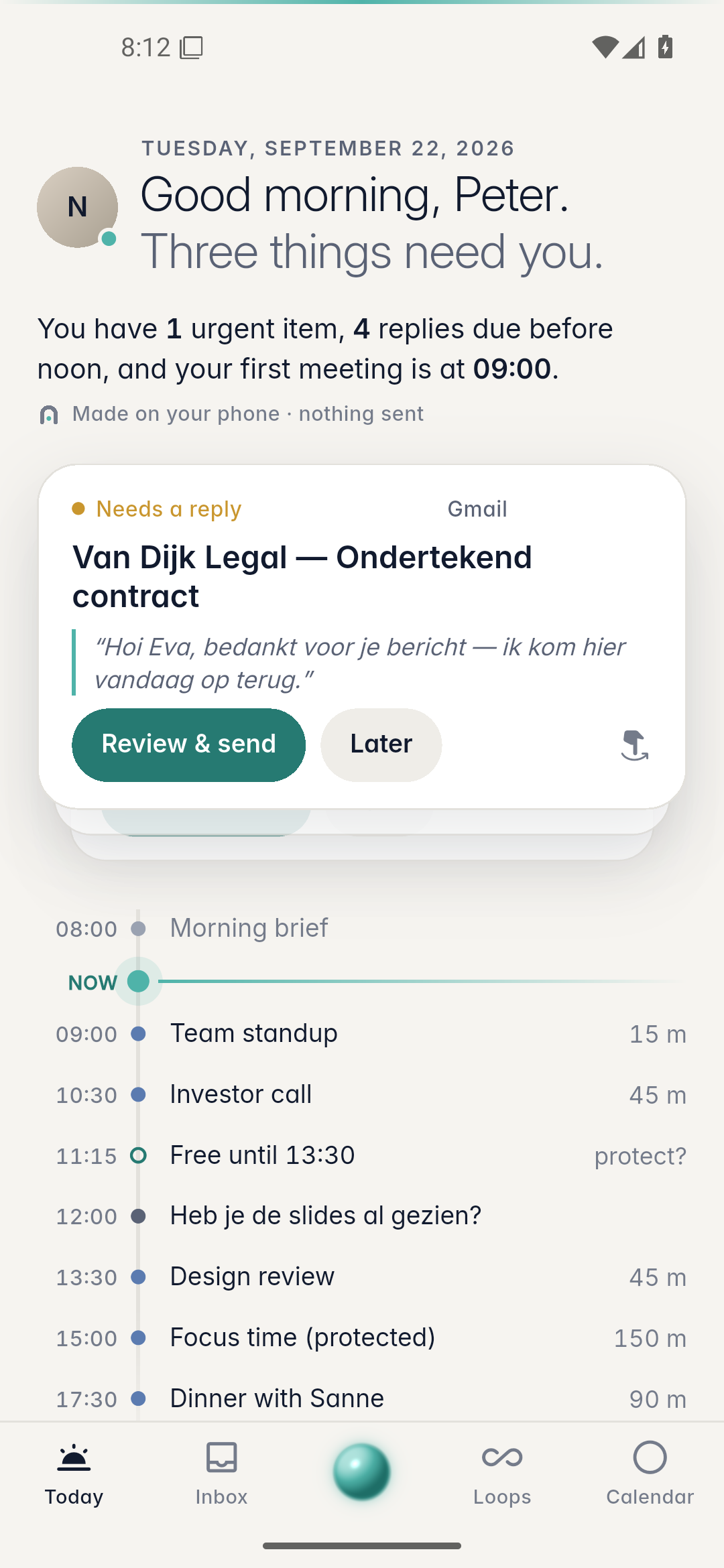
Nuvani Today screen
On-device, zero-content backend
Never auto-sends. Ever.
Priority engine runs locally
Explains every priority
The product's spine

Six questions. Answered in five seconds.

Every screen in Nuvani answers at least one of these. The Today screen answers all six the moment you open it.

01

What needs my attention now?

The priority engine scores every message and event locally, so Now / Today / Later sorts itself before you even open the inbox.

02

What do I need to reply to?

A reply-needed detector surfaces the threads waiting on you and drafts an answer you can send in one tap.

03

What do I need to do today?

Calendar and task extraction pull your meetings and to-dos onto one time-spine — no second app to check.

04

Who is waiting for me?

Thread-state tracking watches every inbound message you haven't answered — across mail and chat.

05

Who am I waiting for?

The mirror image: what you're owed, and for how long, so nothing quietly falls through.

06

What can be ignored?

Newsletters, promos and automated noise get filtered into a calm FYI digest — never in your way.
Privacy architecture

Your life never leaves your phone.

  • No user content ever reaches Nuvani infrastructure — mail, messages and calendar are processed on-device only.
  • Free tier requests zero Android permissions — Notification Intelligence is opt-in, one permission, and you pick the apps.
  • No backup, no device transfer of app data. Cleartext traffic and user-installed CAs are refused outright.
  • Fonts are bundled, never fetched at runtime. No analytics SDKs, no trackers, no exceptions.
  • Never auto-sends. Every send, delete or payment-adjacent action asks first — some require biometrics.
Why Nuvani asks for access

One permission. You choose which apps.

To show WhatsApp, Instagram, Facebook, Snapchat or Telegram in your Today screen, Android requires one system permission: Notification Access. Here's exactly what that means.

1

You grant it once, at the OS level

Android's own "Notification Access" screen — the same permission any notification-based app uses. Nuvani never sees your passwords or logs into these apps.

2

Then you pick the apps, one by one

Nothing is read by default. In Settings → Notification Intelligence you switch on exactly the apps you want watched — off is off.

3

Still processed on your phone only

Those notifications are scored by the same on-device engine as your mail — never uploaded, never used to auto-reply without your confirmation.

WhatsApp
Instagram
Facebook
Snapchat
Telegram
Signal
Slack
Teams
Discord
LinkedIn
TikTok Business
Any app that sends Android notifications — switch each one on or off whenever you like.
Inside the app

Calm on the surface. A lot of engine underneath.

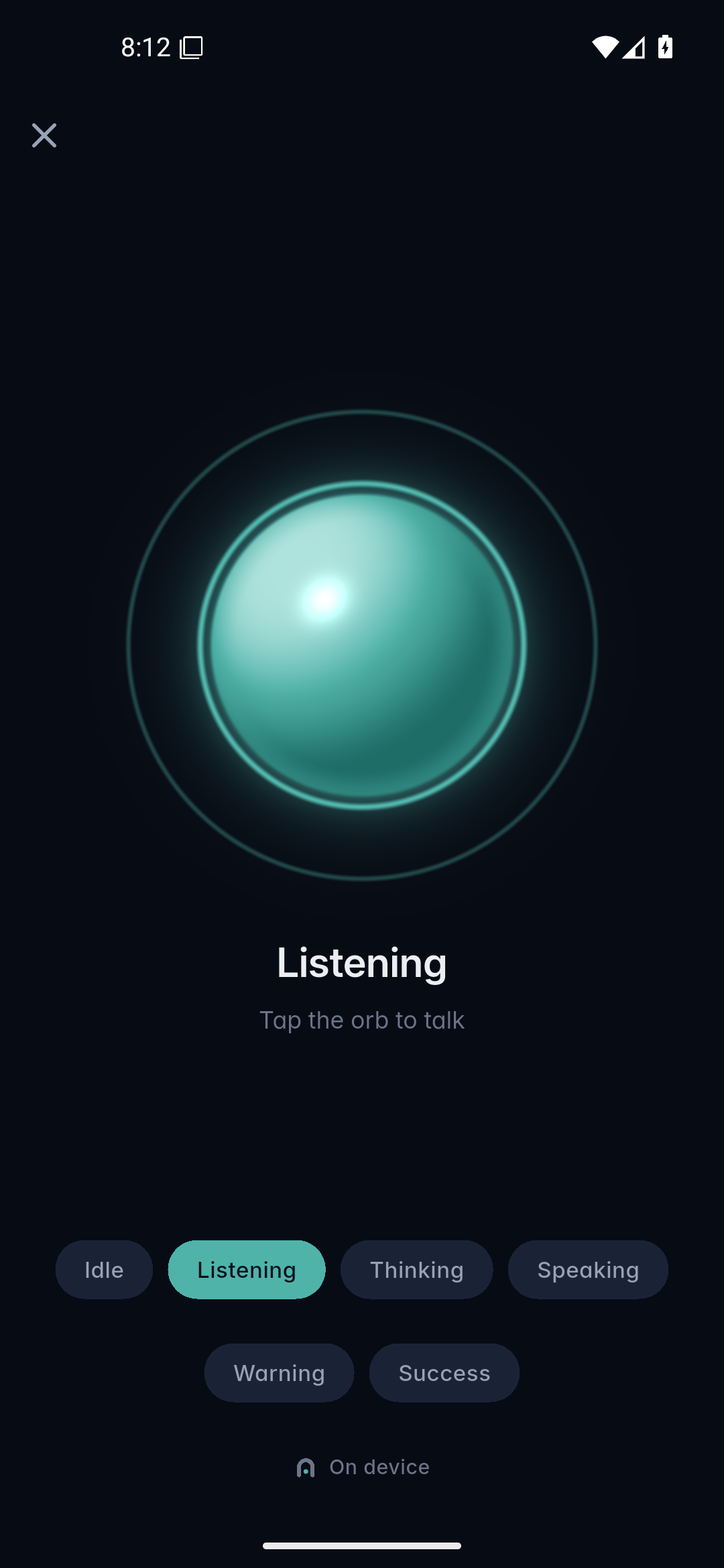
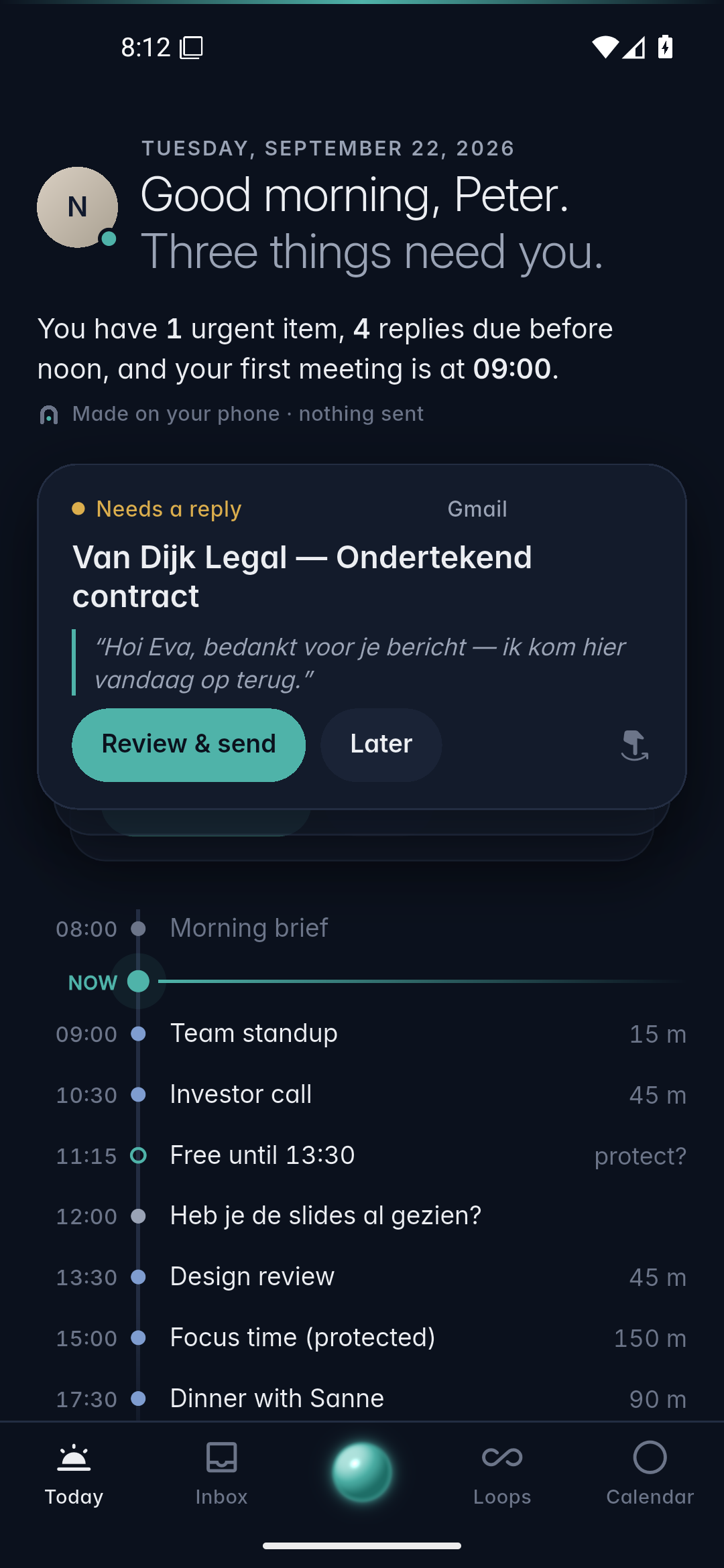
Light and dark, tuned like the rest of the assistant — quiet colour, one primary action per card, never a spinner.

Nuvani Today — light theme Nuvani voice — listening
Pricing

Start free. Upgrade when it's obviously worth it.

14 days of Plus on us. No card required, no auto-charge without you confirming.

Free

€0
  • 1 email account, 1 calendar
  • Priority inbox & on-device summaries
  • Morning Brief
  • Privacy Center

Nuvani Business

€14.99/mo
  • Everything in Plus
  • Accounting, CRM & payments (Pulse)
  • Market & on-device Signals
Private beta

Test the debug build.

This is a raw, unsigned debug APK straight from the build — for testers who want to poke at Nuvani before it hits the Play Store. Expect rough edges.

Platform Android 10+ Build debug · unsigned Access sideload, no store review
Debug build Download .apk Android will warn about "unknown sources" — that's expected for a sideloaded debug build. Enable it once, only for this file.